Direct Answer
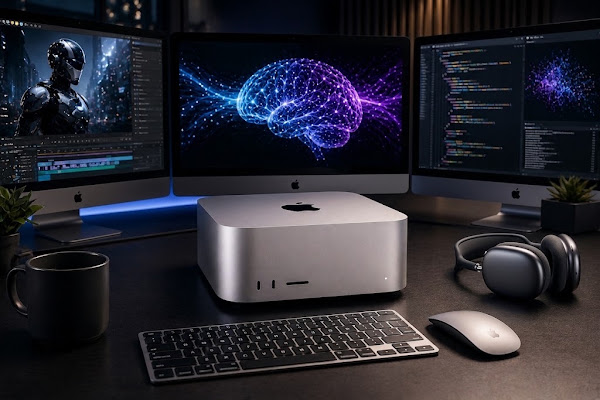
The Mac Studio with M5 Ultra is built for heavy local AI and creative work. Apple states it delivers up to 4.3x faster peak AI compute versus the M3 Ultra and up to 1.8x faster graphics, while supporting configurations with up to 512GB of unified memory at 1.2TB/s and Thunderbolt 5 connectivity.
Why this matters right now
For video editors, 3D artists, developers, and researchers weighing cloud fees, latency, and privacy against local hardware, the M5 Mac Studio changes the calculus: stronger on-device AI means fewer round trips to cloud services, lower latency for interactive tools, and potentially large savings on recurring API costs.
Key takeaways at a glance
- Peak AI performance: M5 Ultra up to 4.3x faster AI compute than M3 Ultra (Apple claim).
- Graphics uplift: Up to 1.8x faster graphics relative to the prior generation.
- Unified memory: Up to 512GB unified memory with 1.2TB/s bandwidth to reduce data bottlenecks.
- Connectivity: Thunderbolt 5 (up to 120Gb/s), plus initial support for Wi‑Fi 7 and Bluetooth 6.
- Scale-out option: Thunderbolt 5 + RDMA can link multiple Mac Studio units to accelerate distributed inference.
What the M5 family is composed of
M5 Max — the high-end single-die option
The M5 Max targets professionals who need strong CPU/GPU balance. It pairs an 18-core CPU with up to a 40-core GPU and supports up to 128GB of unified memory with 614GB/s memory bandwidth. Hardware-accelerated ray tracing (third generation) and boosted shader performance improve interactive 3D work and offline render throughput.
M5 Ultra — two Max dies fused for scale
Apple builds the Ultra by combining two M5 Max dies. That configuration delivers a 36-core CPU, an 80-core GPU, and up to 512GB of unified memory at 1.2TB/s. The Ultra also doubles the video encode/decode engines compared with the Max, allowing playback of many concurrent high-resolution streams for demanding post-production workflows.
Performance benchmarks (reported comparisons)
Apple publishes comparative multipliers versus previous Apple silicon generations. The following table summarizes the claim set as presented by Apple for the M5 Max and M5 Ultra:
| Benchmark category | M5 Max vs previous chips | M5 Ultra vs previous chips |
|---|---|---|
| LLM prompt processing | 3.9x faster than M4 Max (10.7x vs M1 Max) | 4x faster than M3 Ultra (9.8x vs M1 Ultra) |
| Text-to-image generation | 3.5x faster than M4 Max | 4.3x faster than M3 Ultra |
| 3D / VFX scene rendering (Maxon Redshift) | 1.4x faster vs M4 Max | 1.7x faster vs M3 Ultra |
| ML model training / creative tools | 3x faster DaVinci Resolve Magic Mask vs M4 Max | 3.3x faster CopyCat ML training in Nuke vs M3 Ultra |
Apple also highlights real-world editorial benefits: for example, DaVinci Resolve users see up to 3x faster Magic Mask processing on an M5 Max compared to older silicon.
On-device AI, privacy, and costs
Running models locally removes API token limits, lowers latency, and keeps sensitive data on-premise. That can be crucial for workflows that require fast iteration or stricter privacy controls. For labs and studios that need larger inference budgets, Apple suggests linking multiple Mac Studio units rather than relying solely on cloud instances.
Clustering: scale by linking studios
Apple’s architecture allows RDMA over Thunderbolt 5 to interconnect systems. According to Apple, aggregating four Mac Studio desktops creates a shared memory pool and can deliver up to 3x faster distributed AI inference than a single system.
System expansion, networking, and displays
- Thunderbolt 5: Up to 120Gb/s aggregate bandwidth for storage, external GPUs or expansion chassis, and multi-monitor transport.
- N1 wireless chip: Adds Wi‑Fi 7 and Bluetooth 6 support to stabilize high-bandwidth wireless transfers.
- Display engine: Drives as many as eight independent displays or up to four Studio Display XDR (5K, 120Hz).
- USB-C genlock: Offers frame synchronization for professional camera feeds and multi-display setups.
For developers, macOS 27 “Golden Gate” includes updated frameworks like Core AI and the open-source MLX project on GitHub to streamline local model deployment and training — useful when you want to keep workflows inside Apple silicon.
Related reading: 5 Tips and Tricks to Free Up Disk Space and Hidden Storage on Your Mac
Frequently asked questions
What is the starting price for the M5 Mac Studio?
The M5 Max Mac Studio starts at $2,499 (education price $2,299). The M5 Ultra configuration begins at $5,499 (education price $5,099).
How much unified memory is available on the M5 Ultra?
The M5 Ultra supports up to 512GB of unified memory, with a peak memory bandwidth of 1.2TB/s — designed to keep large datasets and model parameters in fast, coherent memory.
Can multiple Mac Studio systems be clustered together?
Yes. Using Thunderbolt 5 with RDMA, users can link multiple Mac Studio units (Apple highlights up to four together) to form a shared memory pool and increase distributed inference throughput.
Bottom line
Apple’s M5 Max and M5 Ultra for Mac Studio prioritize local AI and graphics performance, expanding the option set for professionals who want to shift heavy workloads off cloud infrastructure. With higher raw AI throughput, larger unified memory ceilings, and faster I/O, the M5 Mac Studio aims to keep more of a studio’s heavy lifting on-premise.
Source: Apple. Read the original article.
Related reading on dealsofdreams.com: 5 Best Touchscreen Gaming Laptops With the Latest Hardware; Top 5 Z490 Motherboards: A Complete Buyer’s Guide.
